Breath Pilates
Our app: book, change and pay for your classes on your phone
· 2 min read
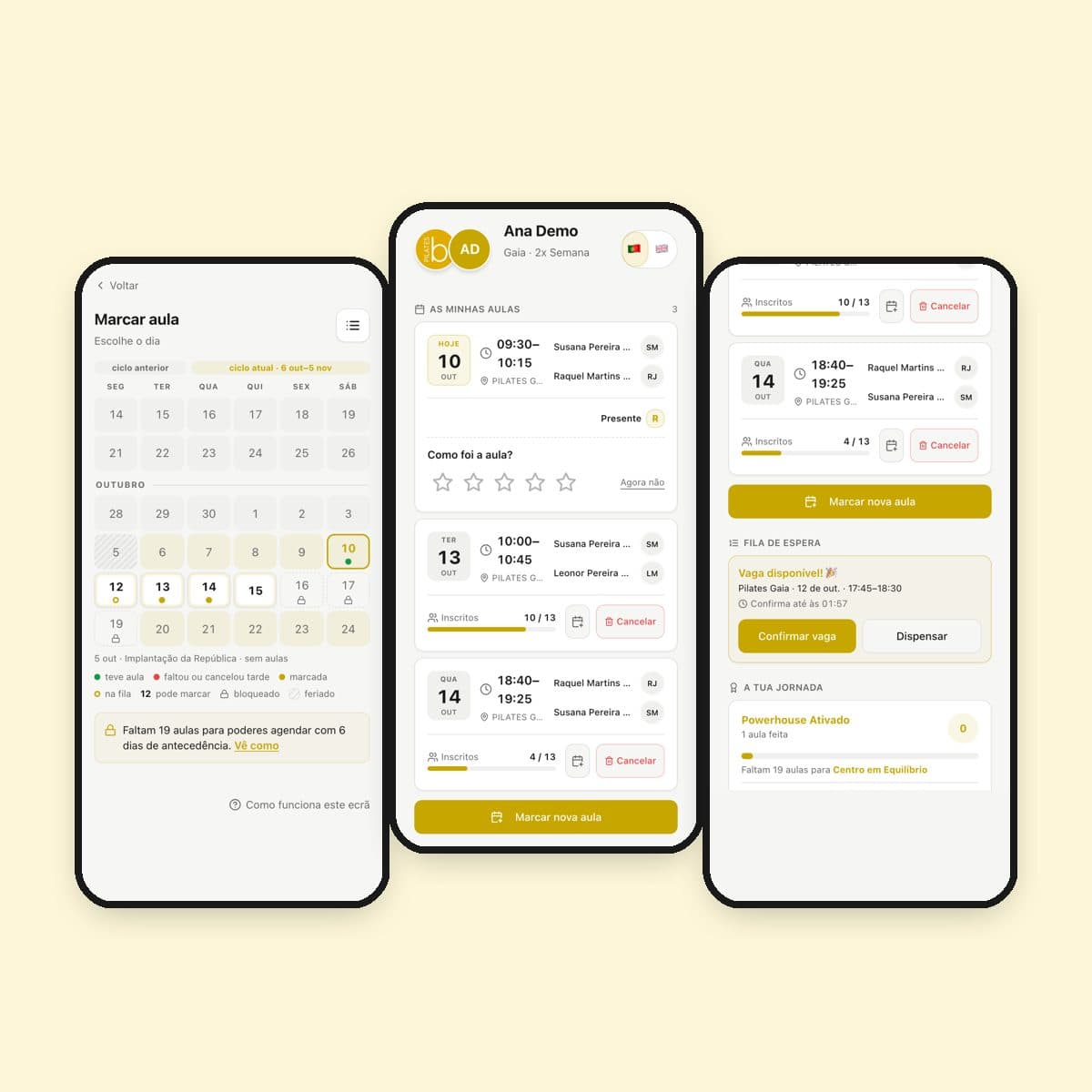
Everything you need for your classes is in one app on your phone: book, cancel, join the waitlist, pay and see your invoices. No calls and no waiting for a reply.
Signing in
You sign in with your phone number and a code sent by text message. If you prefer, turn on sign-in without a code: your phone recognises you with your fingerprint or face, like your banking app.
Booking and cancelling classes
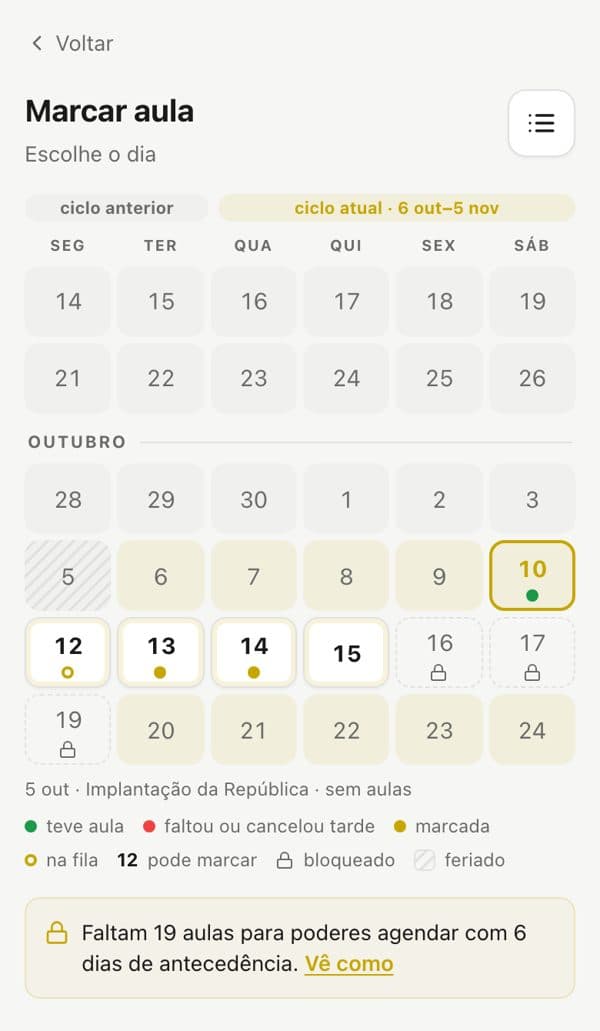
The home page shows your next classes, who teaches them and how many people have booked. To book, pick the day — from a list or a calendar — and the time that suits you.
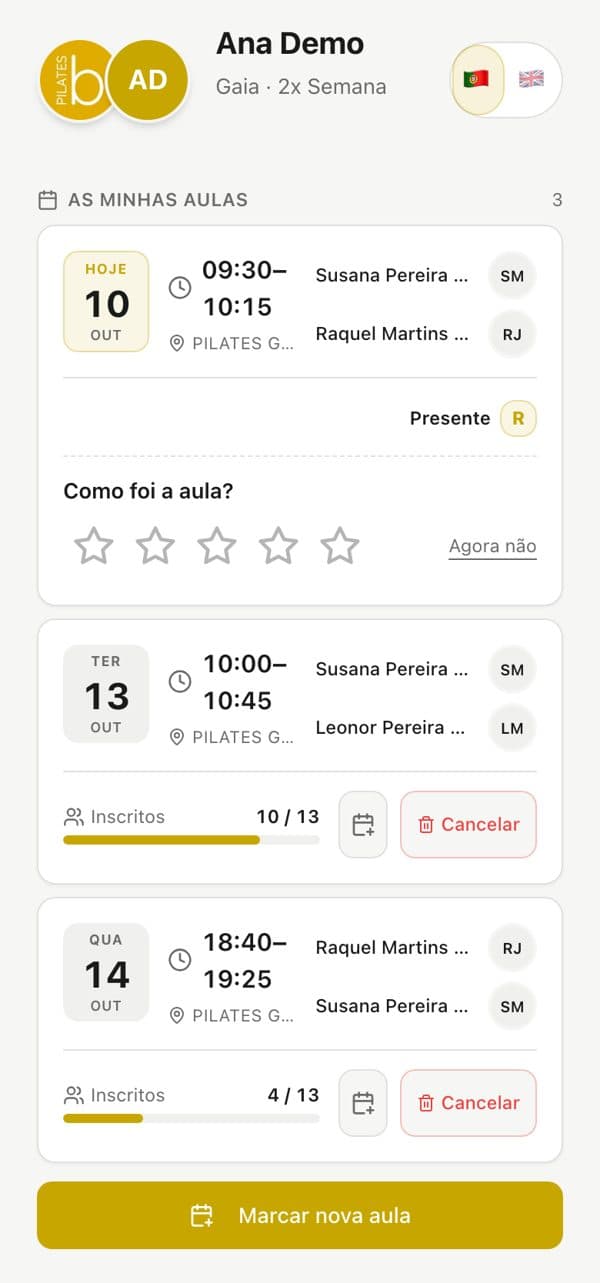
- Can't make it? Cancel in the app and book another.
- Add the class to your phone's calendar (Google, Apple or Outlook) in one tap.
- The calendar shows the days you had class, the ones booked and the ones you can still book.
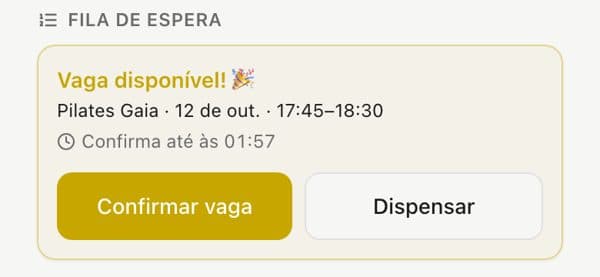
Class full? Waitlist
If the class you want is full, join the waitlist in one tap. When a place opens you get a notification and a deadline to confirm it; if you can't go, dismiss it and the place goes to the next person.
Paying and invoices
You pay the monthly fee in the app, with MB WAY or Multibanco. «My plan» shows your plan, how long it is paid for and your payment history, and you can open your invoices whenever you need them.
After class
- Rate the class with stars — it helps us improve.
- Follow your journey: every class counts towards new levels and gifts along the way.
- Invite friends with your referral link and get a discount on your fee when they sign up.
Questions
Many screens have «Talk to us», which opens our WhatsApp with the message already written. The app speaks Portuguese and English: switch with the flag.
The app and this website were built by Bilouro Studio.